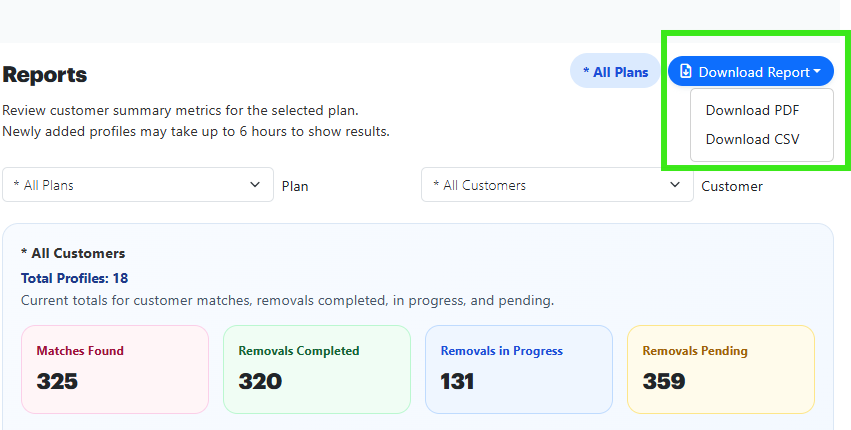
Delist MSP Reports
The Delist MSP offers the ability to get reports on the profile activity, based on the PC Matic Customer account they are assigned to.
- To view these reports, click the Reports button.

-
Select the PC Matic MSP Customer Account from the drop down menu.
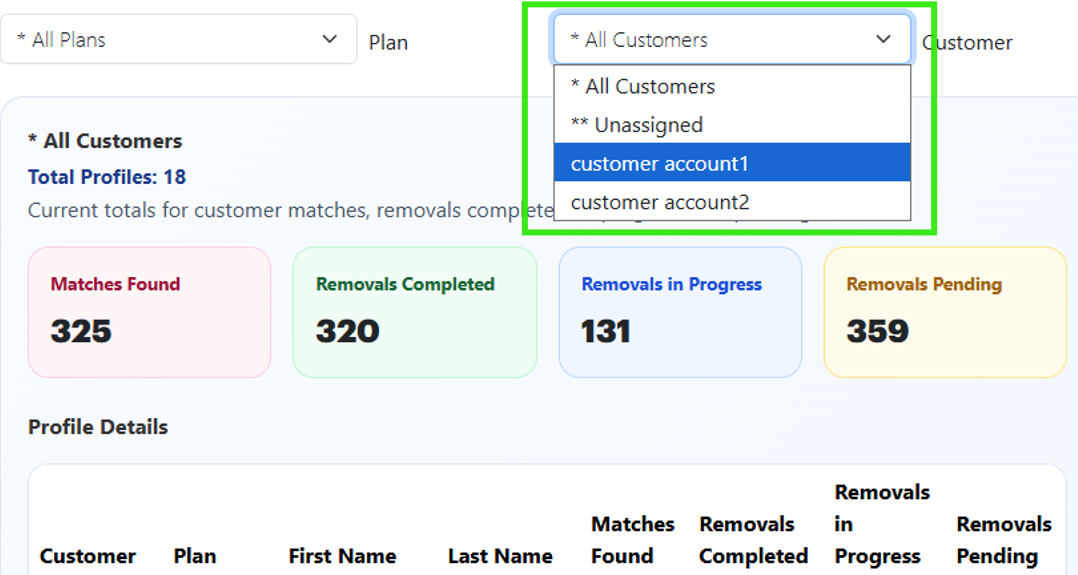
You can choose to view an aggregated report on all of your customer accounts, or just one specific customer.
-
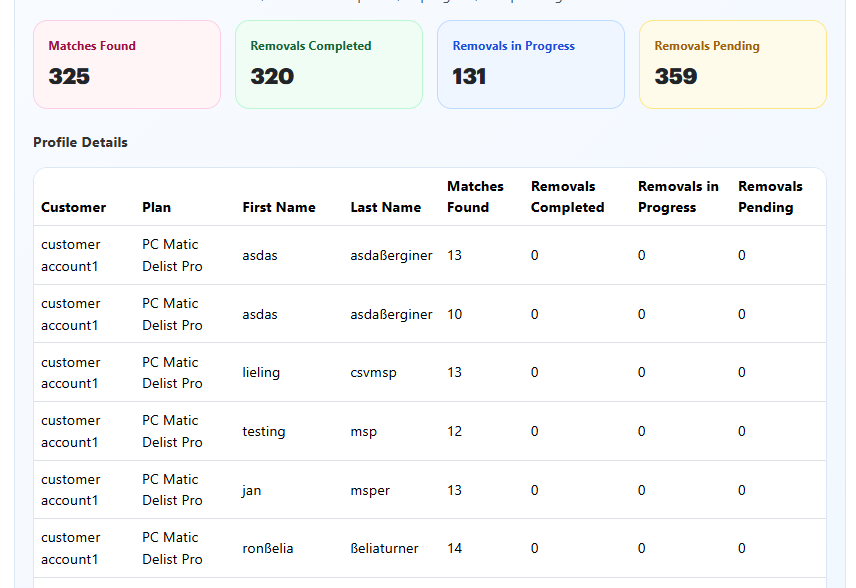
These reports will allow you to view the total matches, removals pending, removals in progress, and removals completed for all of the selected profiles.
-
You can download these reports to PDF or CSV by clicking the Download Reports button in the upper right corner of the report screen.